

Second Level Data Query
Context
This feature allows to get the result set from a SQL query applied on Insights data.
The Insights data that will be used as input data for the second-level query are fetched using a data filter very similar to the one used in https://api.opinum.com/swagger/ui/index#/Data/Data_GetData.
The second-level query must comply with SQLite syntax with some conventions
API management
The Insights api (https://api.opinum.com/swagger/ui/index#/Data/Data_GetQueryableData) allows to perform second-level queries.
Please refer to the online description provided by the API.
Data Flow
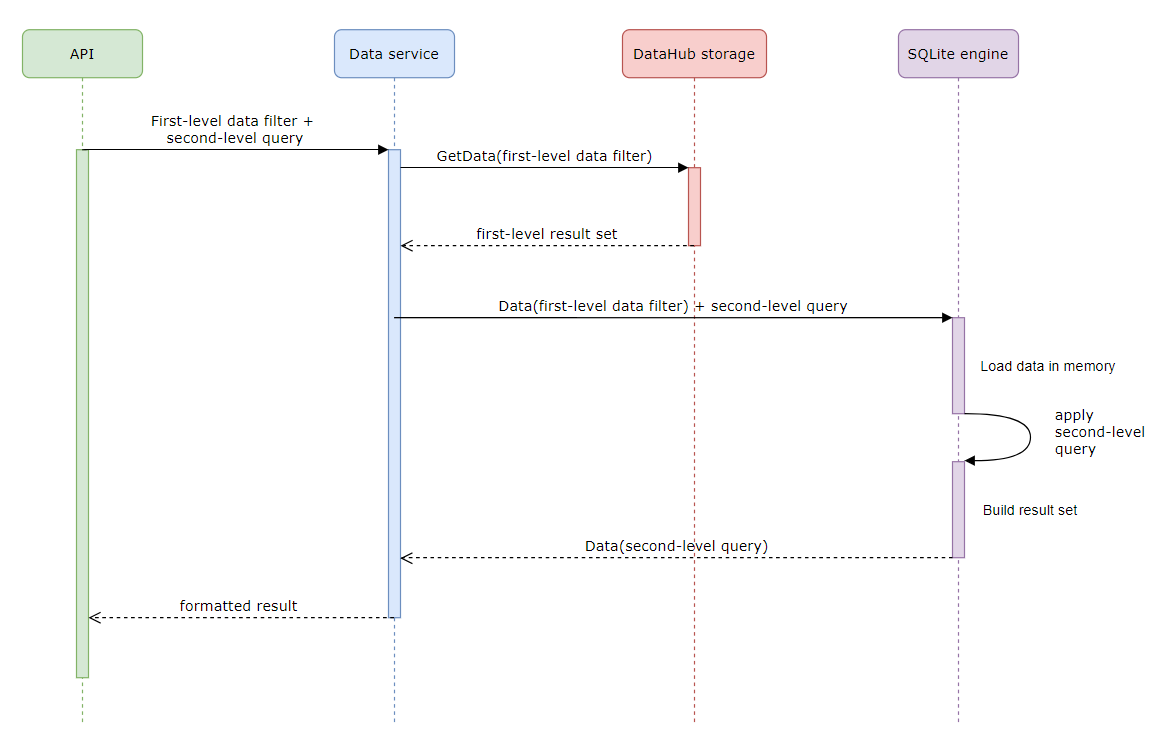
The first-level data set is formed by applying the first-level data filter on Insights data storage. This first-level data set is then stored in a SQLite in-memory engine that will apply the second-level Sum values by variable Id query to produce the second-level data set which is the expected result.
Output
The structure of the output object is a JSON with the following format:
{
  "inputRowsCount": ...,
  "outputRowsCount": ...,
  "inputRowsFetchDuration": {
    "asIso8601": ...,
    "asSeconds": ...
  },
  "queryDuration": {
    "asIso8601": ...,
    "asSeconds": ...
  },
  "rows": [
    {
      "fields": [
        {
          "name": ...,
          "value": ...
        },
        ...
        {
          "name": ...,
          "value": ...
        }
      ]
    },
    ...
    {
      "fields": [ ...]
    }
  ]
}
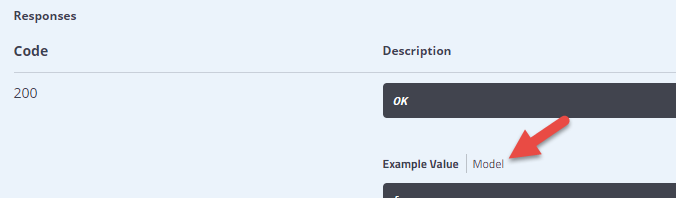
Please refer to the swagger API online documentation (https://api.opinum.com/swagger/ui/index#/Data/Data_GetData) to get detailed response model documentation:
Examples
Here are some basic query examples.
Get distinct variable Ids
SELECT DISTINCT variableId as Var FROM Data
Sum values by variable Id
SELECT SUM(value) FROM Data GROUP BY variableId
Get Min/Max values by month number and day of week number
SELECT strftime('%m', timeStamp) as Month, strftime('%w', timeStamp) as Day, Min(value), MAX(value)
FROM Data
GROUP BY strftime('%m', timeStamp), strftime('%w', timeStamp)
ORDER BY Month,Day
Get Min/Max values by readable day of week, hour number and minute number (as INT)
SELECT
    CASE
        WHEN strftime('%w', timeStamp) = '0' THEN 'Sunday'
        WHEN strftime('%w', timeStamp) = '1' THEN 'Monday'
        WHEN strftime('%w', timeStamp) = '2' THEN 'Tuesday'
        WHEN strftime('%w', timeStamp) = '3' THEN 'Wednesday'
        WHEN strftime('%w', timeStamp) = '4' THEN 'Thursday'
        WHEN strftime('%w', timeStamp) = '5' THEN 'Friday'
        WHEN strftime('%w', timeStamp) = '6' THEN 'Saturday'
    END as DayOfWeek,
cast(strftime('%H', timeStamp) as INT) as Hour,
cast(strftime('%M', timeStamp) as INT) as Minute,
Min(value),
MAX(value)
FROM Data
GROUP BY strftime('%w', timeStamp), strftime('%H', timeStamp), strftime('%M', timeStamp)
HAVING strftime('%w', timeStamp) NOT IN ('0','6')
ORDER BY strftime('%w', timeStamp), Hour, Minute
Warning
Altough a query like SELECT COUNT(*) FROM DATA is valid, it is not recommended to query the number of data points this way. Please use https://api.opinum.com/swagger/ui/index#/Variable/Variable_CountDataPoints to get the count of data points, this endpoint being optimized for this purpose.